
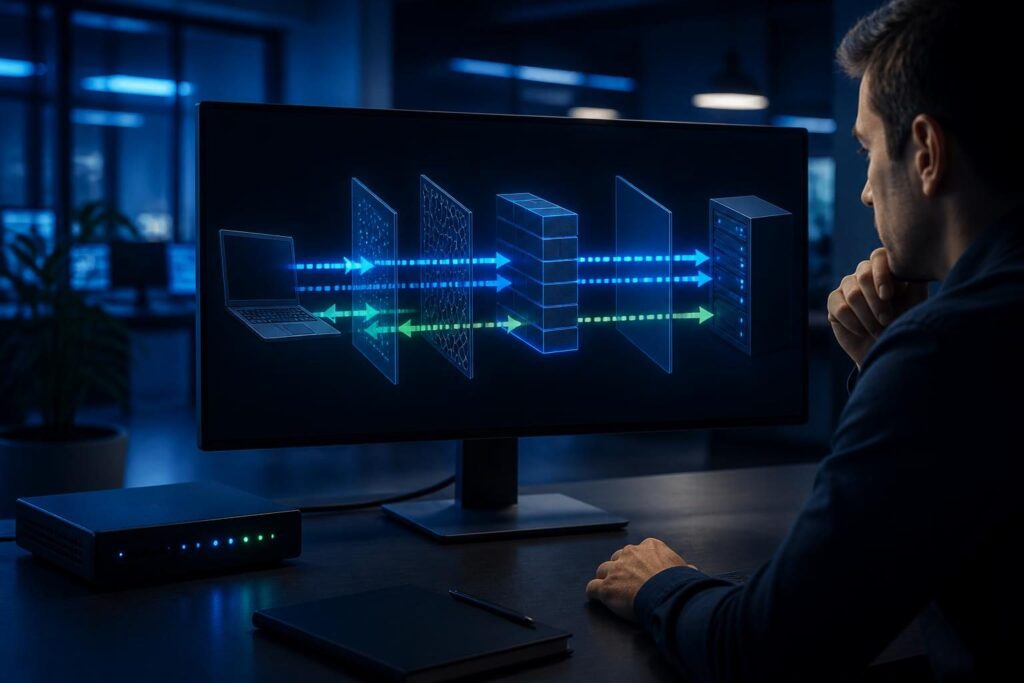
A firewall application rule allows traffic but connection fails situation can be confusing. The policy may show an allow action, yet the application still times out, resets, or opens only partially. That result usually means the rule is only one decision in a longer traffic path.

Modern firewalls may identify applications, inspect encrypted traffic, apply content profiles, translate addresses, and validate both directions of a session. A mismatch in any of those stages can override an apparently correct rule. This guide explains how to investigate the full flow without weakening security unnecessarily.
What an allow rule actually proves
An allow entry usually proves that one policy matched a particular packet or session. It does not always prove that the destination received the traffic. It also does not prove that the server accepted it or that reply packets returned through the same firewall.
For example, a policy might allow TCP traffic from an office network to a web service. However, the rule may reference the wrong source subnet, use an old destination object, or identify the traffic as a different application. The firewall can then apply another policy, an inspection action, or a final deny.
In a firewall application rule allows traffic but connection fails case, write down the complete flow:
- Source device and source IP address
- Destination name, resolved IP address, and port
- Protocol, such as TCP, UDP, or ICMP
- Ingress and egress interfaces or security zones
- Expected return path
- Application error, timeout, or reset behavior
That list prevents a common mistake: comparing the rule with the user’s intended destination instead of the destination the device actually contacted.
Check application identification and inspection profiles
Application-aware firewalls do not rely only on port numbers. They may classify traffic by protocol behavior, server name, certificate, request pattern, or session content. A rule allowing HTTPS on port 443 may still fail if the firewall identifies the session as an application that another policy blocks.
Inspection profiles add another decision layer. A profile may scan malware, enforce web categories, check certificates, prevent data loss, or inspect encrypted sessions. These controls can stop traffic after the base rule permits it. Therefore, a firewall application rule allows traffic but connection fails result may reflect inspection rather than the rule’s basic action.
Look for inspection-specific symptoms
Certificate warnings often point toward TLS inspection. A TLS inspection process decrypts and re-encrypts protected traffic so the firewall can examine it. The client must trust the inspection certificate authority, and some applications reject interception through certificate pinning.
Review the firewall event for fields such as application name, inspection profile, action, reason, and reset source. Compare a failed session with a known working session. If a temporary, narrowly scoped inspection bypass restores access, treat that result as evidence rather than a permanent fix.
Document the affected application, users, destination, and business need. Then verify whether the vendor supports inspection. The related TLS inspection troubleshooting guide provides a safer way to test certificate trust and exclusions.
Validate address and service objects
Firewall rules often use objects instead of raw addresses. An address object may represent one host, a subnet, a dynamic group, or a fully qualified domain name. A service object may represent one port, a port range, or several protocols.
Objects can become inaccurate after a server move, cloud change, DNS update, or subnet redesign. A rule can therefore match the wrong traffic while its displayed name still sounds correct. Check the object contents, not just the object label.
- Confirm the client’s current source address.
- Resolve the destination name from the affected network.
- Compare the resolved address with the firewall object.
- Check whether the object uses IPv4, IPv6, or both.
- Verify the destination port and transport protocol.
- Check whether a domain object uses stale or limited DNS results.
Do not assume that a browser using HTTPS contacts only one address or one service. Applications may use content delivery networks, alternate endpoints, separate authentication hosts, or UDP-based protocols. Capture the actual destinations before expanding a rule.
If IPv6 is available, the device may prefer it even when the IPv4 policy works. Compare both address families and their policies. The IPv4 versus IPv6 firewall guide explains why matching one family does not automatically allow the other.
Trace the route and look for asymmetric paths
Firewall state tracking expects a session to follow a sensible path. In a normal flow, the client sends traffic through the firewall, the server replies, and the reply returns through a path that the firewall can inspect.
An asymmetric path occurs when the forward and return directions use different routes. For instance, a server may receive a request through the firewall but send its reply through another router. The client may never see a valid response, while the firewall records an incomplete or expired session.
Routing changes, multiple internet circuits, policy-based routing, overlapping networks, and incorrect server gateways can create this condition. NAT can also change the address that the server sees. Network address translation, or NAT, rewrites source or destination addresses as traffic crosses a device.
Check the route from both sides where possible. Confirm the server’s default gateway, specific routes, and policy-based routing rules. Then compare firewall session records with packet captures on the relevant interfaces. This is essential when a firewall application rule allows traffic but connection fails despite visible outbound packets.
Use the practical wrong-route troubleshooting guide when the firewall sees one direction but not the other. For public services, also verify whether NAT and port forwarding point to the intended host. Cloudflare provides a useful NAT overview for understanding address translation.
Account for implicit denies and policy layers
An implicit deny is the default block applied when no explicit rule permits traffic. Many firewalls also use separate policy tables for inter-zone traffic, local services, management access, VPN traffic, or traffic generated by the firewall itself.
A visible allow rule may sit in the wrong policy table. It may also match only the initial direction while a separate rule controls the reply. Some platforms evaluate identity, device posture, schedule, geolocation, or threat reputation before the final action.
Review the rule hit count and the complete decision log. A hit count can show that a rule matched, but it does not explain every later inspection result. Search for deny, reset, drop, quarantine, expired session, and policy mismatch events around the same timestamp.
Pay attention to policy order, even when the main rule appears specific. A broader rule, reusable policy object, or higher-priority security control may take effect first. Avoid adding a wide allow rule as a test. That can hide the real issue and expose systems unnecessarily.
Verify return traffic and state tracking
Many connection failures occur after the first packet succeeds. TCP requires a handshake, and applications require replies, acknowledgments, redirects, or follow-up connections. UDP applications also depend on response traffic, even though UDP does not establish a connection in the same way.
Inspect whether the firewall sees the initial request and the response. A session may show SYN packets without a SYN-ACK, or outbound requests without application replies. Those patterns narrow the search:
- No outbound packet: check the client, local routing, and policy match.
- Outbound packet but no server response: check destination service, upstream filtering, and the route.
- Server response reaches the firewall but not the client: check state, NAT, inspection, and return policy.
- Handshake completes but the application fails: check inspection, authentication, redirects, and additional ports.
Some protocols open a control connection and then negotiate separate data ports. A rule for the first connection may not cover the later flow. Confirm the application’s documented port requirements before changing policy.
Use a controlled diagnostic sequence
Change one variable at a time. First, reproduce the failure with a known client and record the exact time. Next, collect the client’s resolved address, destination address, port, and error message.
Then review the firewall’s session and security logs. Confirm the matched rule, application classification, inspection profile, NAT decision, and final action. If available, capture traffic at the client-facing and server-facing interfaces.
After that, test a narrowly scoped policy change. Limit it by source host, destination host, port, and time. Disable only the suspected inspection feature, or create a temporary test policy above the existing rule. Record the original settings before making the change.
Restore the test configuration after collecting evidence. A successful test identifies a control involved in the failure, but it does not automatically justify bypassing that control. Review certificate trust, application compatibility, routing, and object accuracy before choosing a permanent fix.
Common fixes that create new problems
Broadly allowing all ports is rarely a responsible diagnosis. It can expose unrelated services and make later review difficult. The same caution applies to disabling all security inspection or turning off stateful filtering.
Another risky shortcut is changing NAT without checking the server’s view of the client. The change may fix one direction while breaking logging, access controls, or other services. Similarly, replacing a hostname object with many fixed addresses can become stale when the provider changes its infrastructure.
Prefer precise corrections. Update the wrong object, add the required application dependency, install the correct inspection certificate, fix the return route, or adjust a narrowly defined policy. Include an owner, test method, rollback step, and review date in the change record.
When to involve a firewall specialist
Professional help makes sense when packet captures, multiple policy layers, NAT, or asymmetric routing overlap. It is also wise to get assistance before changing a production firewall that protects remote access, payment systems, phones, or public services.
Tech Rescue Ops LLC can help correlate firewall logs, routing, inspection, and application behavior during a controlled remote troubleshooting session. The goal is not merely to make one connection work. It is to restore the required service while preserving a clear and defensible security policy.