
AI Monitoring for Small Businesses Should Reduce Noise
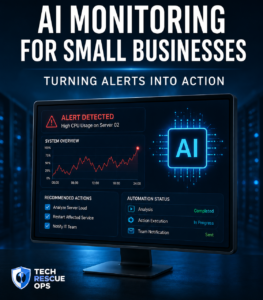
AI monitoring for small businesses is not about replacing people. It is about helping people understand problems faster.
Many businesses have alerts, logs, emails, dashboards, and notifications. The problem is that too much noise makes it hard to know what matters.
AI can help organize technical signals into useful information.
The Problem With Too Many Alerts
Alerts are helpful only when they lead to action.
If a business receives too many alerts, people may start ignoring them. This creates risk because real problems can be missed.
Good monitoring should answer three questions:
- What happened?
- How serious is it?
- What should be checked next?
How AI Can Help
AI can review alert text, logs, timestamps, and repeated patterns.
It can help summarize the issue in plain language and suggest the next troubleshooting steps.
This can save time, especially when the person receiving the alert is not deeply technical.
AI Should Support Technicians, Not Replace Them
Technical systems still need experienced people.
AI can help with analysis, documentation, summaries, and pattern recognition. However, final decisions should still be made by someone who understands the business environment.
The best result comes from combining automation with human judgment.
Examples of Useful AI Monitoring
Small businesses can use AI-assisted monitoring for:
- Website uptime alerts
- Server health checks
- VoIP system alerts
- Email delivery problems
- Firewall or VPN issues
- Recurring technical failures
Start Simple
AI monitoring does not need to be complex at the beginning.
A useful starting point is to monitor critical systems and generate clear summaries when something fails.
Over time, the process can become more advanced.
Final Thought
AI monitoring for small businesses works best when it turns alerts into clear, practical action.
Tech Rescue Ops helps businesses plan AI-assisted monitoring, alert review, technical automation, and practical troubleshooting workflows.