
A Jenkins automation platform can transform repetitive IT tasks into faster, safer, and fully auditable operations. For one customer, Tech Rescue Ops converted complex server, FreePBX, DNS, certificate, network, and maintenance procedures into controlled Jenkins workflows.
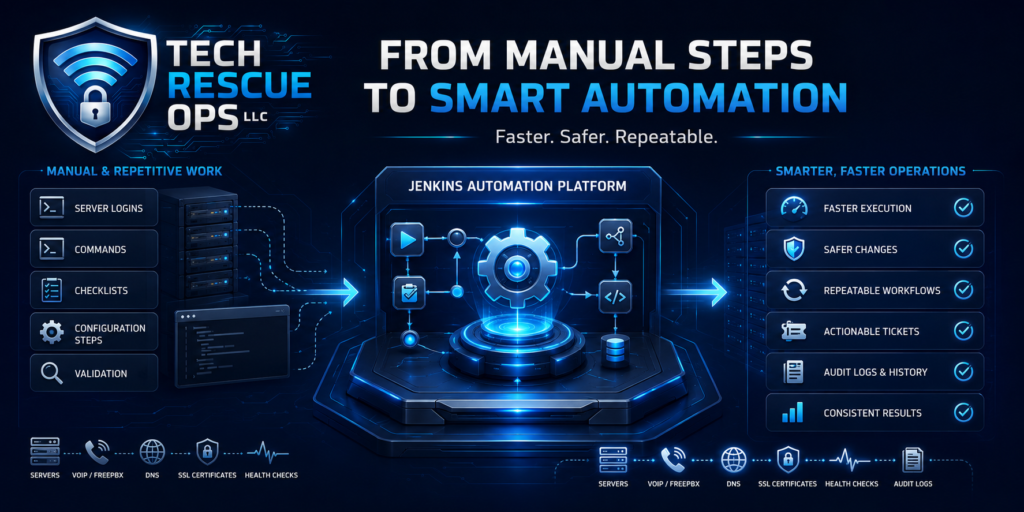
As a result, engineers now spend less time repeating commands and more time solving complex technical problems. The organization also gains consistent results, stronger safeguards, better documentation, and a clear history of every automation run.
This project was not simply about making scripts run. Instead, we built a structured automation system that validates information, checks the target environment, executes approved actions, and records the outcome.
Why the Customer Needed a Jenkins Automation Platform
Some of the most expensive problems in IT do not begin with a major outage. They begin with repetition.
- An engineer logs into a server.
- The engineer runs a familiar sequence of commands.
- Someone copies values from a spreadsheet.
- The team updates a configuration and checks the result.
- Finally, the engineer moves to the next system and repeats the process.
The work may be familiar, but it is not risk-free.
- One missed step can create an inconsistent configuration.
- One incorrect value can interrupt an important service.
- One undocumented change can become tomorrow’s troubleshooting mystery.
The customer managed multiple systems that required frequent technical work. These responsibilities included server configuration, phone-system deployment, network changes, certificate management, software maintenance, DNS updates, health checks, and bulk data operations.
Although many of these tasks were technically complex, they were also highly repeatable. The process depended heavily on engineers remembering the correct order of operations, entering the right values, connecting to the correct systems, and verifying every result manually.
Consequently, the customer faced several operational risks:
- Routine work took longer than necessary.
- Results could vary between engineers.
- Knowledge became concentrated in a small number of people.
- Manual changes created opportunities for avoidable mistakes.
- Incomplete documentation made troubleshooting more difficult.
- Scaling the environment required proportionally more manual effort.
We saw an opportunity to convert these operational procedures into controlled automation.
How We Built the Jenkins Automation Platform
We implemented Jenkins as a centralized automation and orchestration platform. Instead of relying on scattered commands, handwritten checklists, and institutional memory, engineers can now launch structured workflows through a consistent interface.
Each automation job collects the required information, validates the inputs, performs safety checks, runs the approved process, and records the result.
Jenkins Pipeline provides the framework for modeling related automation tasks as structured workflows. The official Jenkins Pipeline documentation explains how Jenkins supports workflows ranging from simple automation to complete delivery pipelines.
In addition, Pipeline as Code allows teams to define workflows in a version-controlled Jenkinsfile. Learn more in the official Pipeline as Code documentation.
Jenkins automation workflows implemented for the customer
- Initial server and application configuration
- FreePBX and VoIP system deployment
- Bulk extension creation and import
- SIP trunk and routing configuration
- DNS record management
- SSL certificate generation and deployment
- Infrastructure health checks
- Software and module maintenance
- Controlled network and IP changes
- Testing, staging, and production workflows
Previously, these activities required long sequences of manual steps. Now, the team can execute them through documented, repeatable, and controlled workflows.
Jenkins Automation Platform Guardrails
Good automation should never mean blindly pressing a button. Therefore, we designed the workflows with controls that reduce risk and improve accountability.
- Input validation prevents incomplete or incorrect values from entering the workflow.
- Dry-run options allow engineers to preview planned actions before applying changes.
- Environment checks confirm that the workflow targets the intended system.
- Safety rules stop destructive actions when required conditions are not met.
- Approval points give engineers an opportunity to review important changes before continuing.
- Detailed build logs record what ran, when it ran, who initiated it, and whether it succeeded.
- Testing workflows allow engineers to validate changes before applying them in production.
These safeguards distinguish a true automation platform from a loose collection of scripts.
Business Benefits of the Jenkins Automation Platform
The most visible benefit is speed. However, the larger value comes from consistency, visibility, and operational control.
The customer now has a standardized method for performing technical operations across multiple systems. Engineers no longer need to reconstruct each process from memory, while new team members can use approved workflows without immediately needing years of institutional knowledge.
Meanwhile, management gains better visibility into technical changes. The support team can review each build, identify who initiated it, inspect the results, and understand where a failure occurred.
Key Jenkins automation platform benefits
- Faster execution: Guided workflows complete complex, multi-step procedures efficiently.
- Fewer human errors: Validated inputs and standardized processes reduce missed steps.
- Consistent results: Jenkins applies the same approved logic every time.
- Better accountability: Every build creates a detailed activity record.
- Easier troubleshooting: Engineers can review exactly what happened instead of reconstructing changes from memory.
- Improved scalability: The organization can manage more systems without multiplying manual effort.
- Stronger resilience: The platform documents critical procedures in executable and repeatable form.
Automation does not replace engineers. It removes repetitive work so engineers can focus on architecture, troubleshooting, security, optimization, and customer service.
Turning Operational Knowledge Into a System
Every organization has procedures that teams repeat daily, weekly, or monthly. Organizations formally document some processes, while command history preserves others. However, critical steps often remain only in the memory of an experienced engineer.
When a company converts those procedures into controlled automation, it gains more than speed. It turns individual knowledge into an operational capability that the entire team can use.
That is what we delivered through this Jenkins project. We did not simply automate a few commands. Instead, we created a platform that helps the customer operate efficiently, reduce technical risk, maintain consistency, and scale with greater confidence.
What Could Your IT Team Automate?
If your team repeatedly performs the same infrastructure, server, cloud, network, VoIP, or deployment tasks, the question may not be whether those tasks can be automated.
The better question is how much time, risk, and operational knowledge your business carries by continuing to perform them manually.
At Tech Rescue Ops, we help businesses turn complicated technical processes into reliable automation that saves time, reduces risk, improves visibility, and strengthens operations.
Explore our remote technical services, browse more technical articles, or review how our remote support process works.
Tech Rescue Ops LLC
Remote IT Support • Infrastructure Automation • Network Engineering • VoIP • Monitoring • Linux • Cloud Operations
Need help automating a repetitive technical process? Request a quote from Tech Rescue Ops to discuss how Jenkins, scripting, monitoring, and controlled workflows can improve your operations.