
Small Business IT Support Should Start Before an Emergency
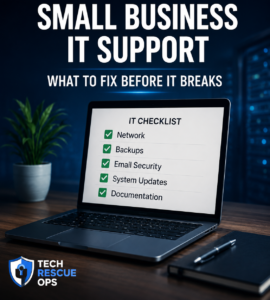
Small business IT support is not only about fixing problems after something breaks. The best support prevents downtime before it starts.
Many small businesses wait until email stops working, phones go down, or a computer will not boot. By that time, the issue is already affecting customers, employees, and revenue.
A simple IT review can help catch weak points early.
1. Check Your Internet and Network Equipment
Your router, firewall, switches, and Wi-Fi access points are the foundation of your business technology.
If this equipment is outdated, overloaded, or poorly configured, your business can experience slow internet, dropped calls, unreliable Wi-Fi, or security risks.
Important items to review include:
- Router and firewall age
- Wi-Fi coverage
- Network speed issues
- Guest network separation
- Remote access security
2. Review Backups Before You Need Them
A backup is only useful if it can be restored.
Many businesses believe they have backups, but they never test them. When a computer fails or files are deleted, they discover the backup is incomplete, outdated, or unusable.
Your backup plan should answer three questions:
- What is being backed up?
- How often does the backup run?
- How fast can files be restored?
3. Keep Email Security Properly Configured
Email is one of the most important tools for small businesses. It is also one of the most common sources of problems.
Incorrect DNS, SPF, DKIM, or DMARC settings can cause email delivery issues. This can make your messages go to spam or fail completely.
Regular email checks help protect business communication and reputation.
4. Watch for Slow Computers and Failing Drives
A slow computer may be more than an inconvenience. It can be a warning sign of failing hardware, low storage, malware, or software problems.
Instead of waiting for the computer to stop working, it is better to review performance early.
5. Document Important Systems
Small businesses often rely on one person who knows the passwords, vendor accounts, network setup, and software details.
That creates risk.
Basic documentation should include:
- Internet provider details
- Router and firewall access
- Domain and DNS provider
- Email hosting provider
- Backup locations
- Important software accounts
Final Thought
Small business IT support works best when it is proactive. A short review today can prevent a major outage tomorrow.
If your business depends on computers, phones, email, or internet access, it is worth checking the weak points before they become urgent problems.
Tech Rescue Ops provides remote technical support for small businesses that need practical help with networks, servers, VoIP systems, email, and technical recovery.