Small business cybersecurity does not need to start with expensive tools or complicated projects. In many cases, the first step is to fix basic risks before they become larger problems.
Tech Rescue Ops helps small businesses review common security issues remotely. This may include accounts, passwords, email settings, backups, Wi-Fi, DNS, remote access, and suspicious activity.
Why Small Business Cybersecurity Matters
Small businesses often depend on email, cloud apps, phones, websites, payment systems, and shared files. Because of that, one weak account or bad setting can affect the whole business.
For example, a stolen email password can lead to fake invoices, customer scams, lost data, or account lockouts. Also, a weak backup plan can turn a small malware issue into a serious outage.
The goal is simple. First, reduce the easiest risks. Next, protect the systems that matter most. Then, create a plan that the business can actually maintain.
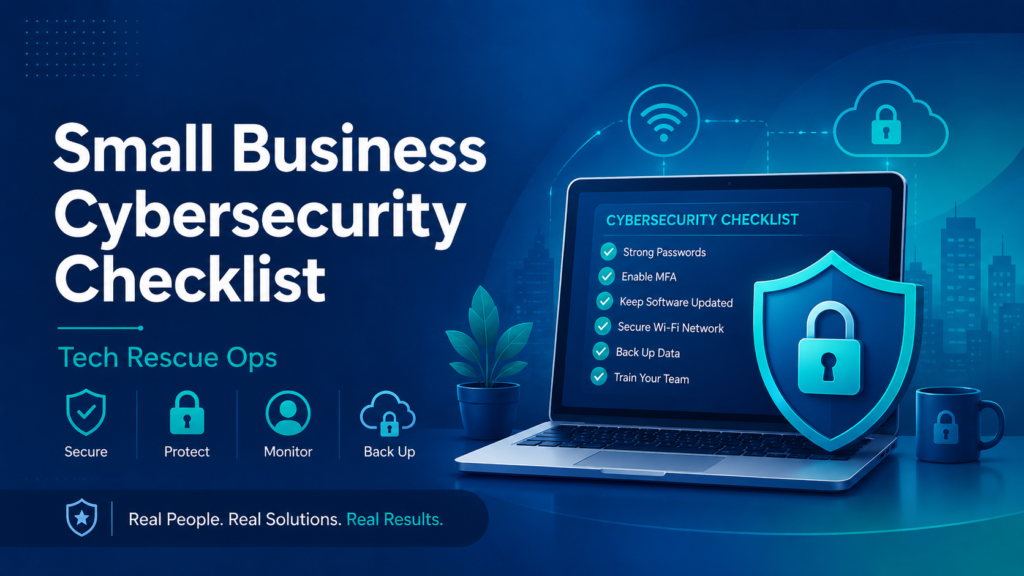
Small Business Cybersecurity Checklist
A basic security review should focus on the areas that create the most risk. These items are practical, easy to understand, and useful for many small businesses.
- Use strong passwords for all business accounts
- Enable multi-factor authentication when possible
- Review who has access to email, billing, banking, and admin tools
- Remove old users who no longer need access
- Keep computers, phones, routers, and software updated
- Check backups and confirm they can be restored
- Secure Wi-Fi with a strong password and modern encryption
- Separate guest Wi-Fi from business devices when possible
- Review email security records such as SPF, DKIM, and DMARC
- Watch for strange logins, unexpected password resets, and fake invoices
Passwords and Multi-Factor Authentication
Password problems are still one of the most common security risks. Therefore, every important account should use a strong and unique password.
Multi-factor authentication adds another layer of protection. Even if someone steals a password, they may still be blocked from logging in.
This is especially important for email, domain accounts, banking, payroll, cloud storage, website admin panels, and remote access tools.
Email Security for Small Businesses
Email is a major part of small business cybersecurity. Attackers often use email to send fake invoices, steal passwords, impersonate employees, or trick customers.
Because of that, businesses should review both account security and domain security. SPF, DKIM, and DMARC help protect the domain from spoofing and delivery problems.
Also, employees should treat urgent payment requests, password reset emails, and unexpected attachments with caution. A short pause can prevent a large mistake.
Backups and Recovery Planning
Backups matter because security is not only about prevention. Sometimes systems fail, files get deleted, accounts get locked, or malware damages data.
However, a backup is only useful if it can be restored. Therefore, small businesses should test recovery before an emergency happens.
A good backup plan should protect important files, business records, website data, email data, and system configuration when possible.
Wi-Fi, Routers, and Remote Access
Network security is also important. A weak Wi-Fi password, old router firmware, exposed remote access port, or unsafe device can create unnecessary risk.
For example, guest devices should not always share the same network as business computers, payment systems, cameras, or file storage devices.
Also, remote access should be reviewed carefully. It should use strong authentication and should not expose sensitive systems without protection.
Official Cybersecurity Resources
Small businesses can also use official guidance when building a basic security plan. The CISA cyber guidance for small businesses and the NIST Small Business Cybersecurity Corner are useful starting points.
These resources can help business owners understand common risks and build a practical security checklist. However, every business still needs to review its own systems, tools, accounts, and workflow.
Signs You Need a Cybersecurity Review
- You saw a strange login alert
- Your email started sending or receiving suspicious messages
- An employee clicked a questionable link
- You do not know who has admin access
- Your business has no tested backup plan
- Your Wi-Fi password has not changed in years
- Your domain has no DMARC record
- Your old employees may still have account access
- Your computers or router have not been updated recently
Remote Small Business Cybersecurity Help
Tech Rescue Ops can help review small business cybersecurity concerns remotely. The review can focus on the most important risks first, instead of overwhelming the business with unnecessary complexity.
The goal is to find weak points, explain them clearly, and provide practical next steps. As a result, business owners can make better decisions and reduce avoidable risk.
Need Small Business Cybersecurity Help?
If you are concerned about accounts, email, Wi-Fi, backups, suspicious activity, or remote access, Tech Rescue Ops can help review the issue and recommend next steps.