
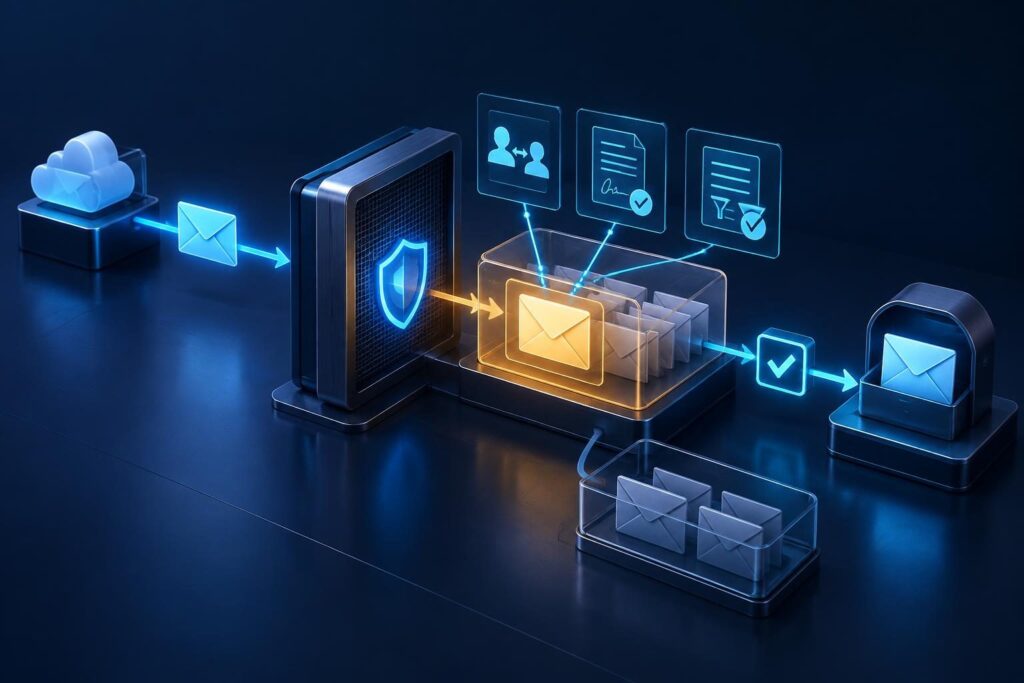
An email quarantine review helps you decide whether a held message belongs in an employee’s inbox. A familiar sender or expected invoice does not prove safety. However, a security warning does not always mean the message contains a threat. Start with the recorded reason, check the evidence, and separate delivery approval from future policy changes.

This workflow focuses on messages that your mail service has already placed in quarantine. It covers investigation, approval, and follow-up rather than general inbox placement. The goal is to restore legitimate communication without creating a shortcut for attackers.
Confirm Which System Holds the Message
Quarantine stores messages outside normal mailbox delivery until a person or policy decides their fate. A junk folder serves a different purpose and usually gives users more direct control. A rejection, meanwhile, means a receiving system refused the message rather than holding it for review.
Some businesses use both a separate security gateway and their email provider’s filtering. Either system may hold the message. Check the gateway and provider records before changing mailbox settings.
- Collect the sender address, recipient address, subject, and approximate sending time.
- Record the time zone and any message identifier.
- Search the relevant administrative quarantine with an authorized account.
- Confirm the holding system, affected recipients, and current status.
If no quarantine entry exists, follow a broader missing-message investigation. Repeatedly asking the sender to resend rarely explains where the original went.
Start Your Email Quarantine Review With the Recorded Reason
The quarantine reason describes the filter’s verdict, not a complete diagnosis. Open the detailed record and capture the detection category, matched policy, and available evidence. Also note any expiration date and previous release actions.
Common categories point toward different checks:
- Spam or bulk mail: Review reputation signals, sending patterns, and recipient expectations.
- Phishing or impersonation: Investigate identity clues, links, and requested actions.
- Malware: Keep the message contained and escalate for security review.
- Policy match: Read the specific rule and its intended business purpose.
- Attachment restriction: Check whether file rules explain the hold.
A legitimate message can still violate an intentional policy. For example, an approved supplier might send a prohibited file type. Use the blocked attachment troubleshooting guide when file handling drives the decision. Do not override a security restriction merely because the recipient needs the document.
Review Email Headers to Check the Claimed Identity
Headers contain routing and identity details that the inbox display often hides. View them through the administrative portal when possible. Do not open attachments or follow message links during this check.
Compare these fields and results:
- From: The address and display name that the reader sees.
- Reply-To: The destination for replies, which may differ from the sender.
- Return-Path: The return address used for delivery errors, often associated with a sending service.
- Received: Server-added records that help explain the message’s route.
- Authentication-Results: A receiving system’s recorded identity checks.
Different addresses can reflect normal billing platforms or mailing services. Treat differences as questions to resolve, not automatic proof of fraud.
Trust authentication results from your receiving service or verified gateway. Attackers can insert misleading headers before delivery. Likewise, do not treat every earlier routing entry as independently verified evidence.
Understand What Authentication Can Prove
Sender Policy Framework, or SPF, checks whether a sending server may send for the envelope sender’s domain. DomainKeys Identified Mail, or DKIM, verifies a domain’s signature over signed message content.
DMARC checks whether a passing SPF or DKIM identity aligns with the visible From domain. Alignment means those domains match under the applicable rules. Microsoft’s email authentication overview explains these checks and their role in protection.
A pass does not prove that an invoice, link, or request is safe. A compromised supplier account can send authenticated phishing. Conversely, forwarding or message changes can affect authentication results.
During an email quarantine review, use authentication as one piece of evidence. Match it against the security verdict and business context.
Investigate Impersonation Signals Independently
Impersonation checks look beyond whether a domain has permission to send mail. A message might use an executive’s display name from an unrelated address. Another might use a lookalike supplier domain with one changed character.
Compare the full address against a trusted contact record. Inspect the actual reply destination and link domains through approved administrative tools. Link-rewriting services can complicate this comparison, so use the portal’s original-destination details when available.
Check the requested action as carefully as the sender:
- Does the message change payment instructions or bank details?
- Is it asking for passwords, approval codes, or urgent secrecy?
- Does the supposed sender normally use this service or domain?
- Can the recipient confirm the transaction through an existing trusted channel?
Call a known number for sensitive requests. Do not rely on contact details supplied inside the questioned message. An existing conversation thread does not remove the need for verification.
Find the Policy That Actually Matched
Open the policy named in the quarantine record. Check its conditions, scope, exceptions, and action. Establish whether it applies to one user, a group, a domain, or the whole organization.
Compare the affected recipient with someone who received a similar message successfully. Differences may reveal group membership, a special protection policy, or a separate mail route. Compare equivalent messages where possible; similar subjects alone do not establish identical content.
Review recent changes and identify the policy owner. A new impersonation rule may intentionally protect finance staff more strictly. An old transport rule, which applies conditions during mail processing, may still target a retired workflow.
Do not assume every provider uses a simple first-match rule order. Policy precedence and interactions vary. Confirm the effective policy in message details before editing anything.
Keep Allowlists Narrow and Temporary
An allowlist tells a filtering system to treat specified senders or sources differently. Its exact effect depends on the product and the type of entry. Some exceptions bypass selected checks; others leave major threat protections in place.
A single false positive does not justify allowing an entire supplier domain. Attackers may compromise that domain later. Shared sending infrastructure also makes broad IP address exceptions risky.
- Prefer correcting the sender’s configuration or an overly broad local rule.
- Release one verified message when no lasting exception is necessary.
- Use the narrowest supported exception if business needs require one.
- Record the owner, justification, scope, expiration, and rollback steps.
- Retain malware and phishing protection rather than creating a general bypass.
A mailbox safe-sender entry may not affect administrative quarantine. Also, releasing a message does not necessarily change future filtering. Verify both behaviors before promising a permanent fix.
Define a Controlled User-Release Procedure
Release permissions depend on the verdict, assigned quarantine policy, administrative role, and service capabilities. Some users can release certain messages directly. Others can only request review, while administrators must handle higher-risk categories.
Give staff a short procedure that avoids risky improvisation:
- Open the quarantine portal through a trusted bookmark or established company access path.
- Locate the message and review the available sender and reason details.
- Request administrator review when identity or content raises doubts.
- Include the expected business purpose without sharing passwords or approval codes.
- Wait for confirmation before asking the sender to use another delivery route.
Administrators should verify the intended recipients before release. Avoid bulk-releasing similar-looking messages. Record who approved the action and why the evidence supported it.
For malware or serious phishing verdicts, keep the message contained while a qualified reviewer investigates. Business urgency should change the response priority, not remove the security review.
Verify Delivery and Address Repeat Holds
After release, check the release status and follow the message through delivery records. Confirm receipt with the intended user. Another gateway, mailbox rule, or later security action may still affect access.
For recurring false positives, submit a sample through the provider’s approved reporting process when available. Follow your organization’s data-handling rules before sharing message content. Test one controlled follow-up message after any approved correction, then monitor for repeated holds.
Close the email quarantine review with the verdict, evidence, approver, release result, and any exception expiry. Preserve sensitive headers and samples only in approved support storage.
Professional remote assistance may help when policy interactions, impersonation warnings, or repeated holds exceed your team’s access or expertise. Tech Rescue Ops LLC can help review mail-flow evidence and plan controlled corrections without defaulting to broad filtering bypasses.